Disclosure: As an Amazon Associate and eBay Partner Network publisher, we earn from qualifying purchases. This doesn’t affect what we recommend or how we describe it.
9 min read
Blue light glasses and screen filters both promise relief from digital eye strain, but how they work and what they actually deliver are fundamentally different. The right choice depends on your work habits, device types, and how much you care about color accuracy or device aesthetics. The single most important thing to understand: blue light glasses and screen filters block different percentages of blue wavelengths, impact your vision and workflow in distinct ways, and may not be equally effective for everyone. If you want real results, you need to match the product to your lifestyle and the specific demands of your screen use. For more detail, see Blue light and eye health overview.
What Blue Light Glasses Actually Do—and What They Don’t
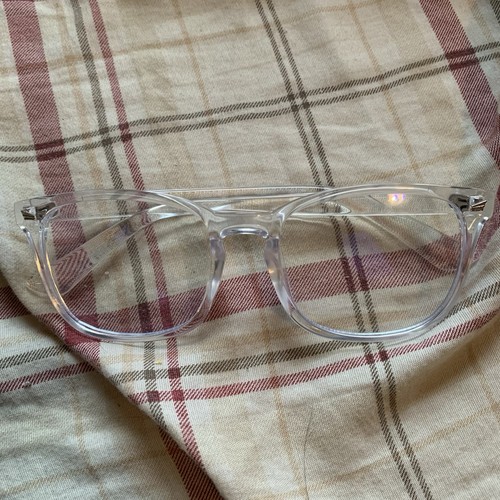
Blue light glasses use special lens coatings or tints to filter out a portion of the blue wavelengths emitted by screens (typically 400–495nm). Most consumer-grade blue light glasses block between 10% and 40% of blue light in this range. Some heavy-duty options with yellow or amber lenses claim to block up to 90%, but at the cost of significant color distortion. For more detail, see American Optometric Association on computer vision syndrome.
Clinical research on blue light glasses is mixed. There’s strong evidence that blue wavelengths can suppress melatonin and delay sleep if you use screens late at night—but the link between blue light and digital eye strain is less clear. Most studies suggest that eye strain is caused more by screen glare, poor lighting, and reduced blinking than by blue light itself. That means blue light glasses might help with sleep if you use them in the evening, but they’re unlikely to solve all your “tired eyes” complaints on their own.
Looking for the current generation with manufacturer warranty intact? Amazon’s new stock is the safest bet.
Browse on Amazon →Screen Filters: How Physical Barriers Change the Equation
Screen filters are thin, often adhesive sheets or rigid panels you place directly onto your device’s display. The best screen filters can block 30–60% of blue light in the 420–470nm range. They work across the entire screen, so you don’t have to wear anything on your face—and they also cut down on glare and reflections, which can matter just as much for comfort.
There are two main types: adhesive filters (that stick directly to the screen and stay put) and clip-on or magnetic filters (which can be removed as needed). Some models are also privacy filters, which means they darken the screen at off-angles—helpful in public spaces but potentially annoying for collaborative work. One critical difference: screen filters can subtly alter color and brightness, which is a dealbreaker for professional designers or photo editors.
How the Options Compare: Real-World Decision Factors
| Buying Profile | Blue Light Blocked (%) | Color Distortion | Device Compatibility | Sleep Impact | Convenience | Extra Features |
|---|---|---|---|---|---|---|
| Clear-lens blue light glasses | 10–25% | Minimal | Any device | Limited | Wearable; no install | Prescription options |
| Amber/yellow blue light glasses | 40–90% | Moderate–high | Any device | Best for evening | Wearable; visible tint | Strongest blue block |
| Adhesive screen filter | 30–60% | Moderate | Device-specific | Consistent, all-day | Set-and-forget | Anti-glare, scratch protection |
| Removable/magnetic screen filter | 30–60% | Moderate | Device-specific | Use as needed | Removable | Privacy options |
Who Should Actually Use Blue Light Glasses?
Blue light glasses make the most sense for people who regularly switch between different devices—laptop, phone, tablet, and desktop—since you can’t realistically install a filter on every screen. They’re also the only blue light solution if you need prescription lenses, since many blue light glasses can be made with your optical correction. For late-night screen users, especially those who struggle with sleep, amber or yellow-tinted lenses (blocking 40% or more blue light) may help regulate your circadian rhythm, though they will make colors look quite unnatural.
On the other hand, if your primary complaint is eye strain during daytime work, blue light glasses are rarely a magic bullet. You’ll get more relief by managing screen glare, adjusting your lighting, and taking regular breaks. Glasses are also easy to misplace or forget, and some users find them uncomfortable for all-day wear—especially if you don’t normally wear glasses.
When a Screen Filter Is the Smarter Move
Screen filters are ideal if you do most of your work on a single device—like a desktop monitor or a laptop. They’re a set-and-forget solution; once installed, you don’t need to remember to put on glasses. Screen filters also provide tangible benefits beyond blue light: they cut glare, reduce reflections, and can protect your device from scratches. If you work in a shared space, privacy-filter models can keep your screen content hidden from side angles.
The trade-off is that screen filters are device-specific; you’ll need a separate filter for each screen you use. They’re also not a good choice if you care deeply about color accuracy (for example, video editors or digital artists), since even a high-quality filter will shift colors slightly—typically making whites look warmer or slightly yellowed. Some users also find adhesive filters tricky to install without bubbles or dust, and removable models can add bulk to your laptop or monitor.
Color Accuracy: The Hidden Trade-Off Most Buyers Miss
If your work depends on accurate color—think design, photography, or video—both blue light glasses and screen filters can be problematic. Clear-lens blue light glasses have minimal impact on color, but their blue-blocking effect is also the weakest (often below 20%). Amber or yellow lenses can throw off color balance dramatically, making it difficult to judge true hues. Most screen filters, especially those blocking more than 40% of blue light, will introduce a warm cast and may lower overall screen brightness by 10–20%.
For color-critical work, your best bet is to use software-based blue light reduction (like “Night Shift” or “Night Light” modes), which can be toggled on and off and customized by time of day. While not as powerful as hardware filters, these tools let you balance comfort and color fidelity more flexibly.
Common Mistakes: Why Most Blue Light Solutions Disappoint
- Expecting instant eye strain relief: Most blue light solutions are not a cure-all. Eye strain is often caused by screen brightness, poor ergonomics, and extended focus, not just blue light.
- Choosing the highest blue-block percentage: More isn’t always better. Glasses or filters that block 80–90% of blue light often make screens look unnatural and can actually make reading harder.
- Ignoring device compatibility: Screen filters must fit your device exactly. A filter made for a 13.3” laptop won’t work on a 15.6” model, and adhesive filters are rarely reusable.
- Overlooking cleaning and durability: Both glasses and filters can scratch or smudge. Look for hard-coated lenses or filters with at least 3H scratch resistance for daily use.
- Assuming all blue light is bad: Not all blue light is harmful. Blue wavelengths are important for alertness during the day. Over-blocking can disrupt your body’s natural rhythms.
Specs That Actually Matter: What to Look for in Each Option
For blue light glasses, check the manufacturer’s stated blue light blocking percentage and the wavelength range (e.g., “blocks 30% of blue light between 400–455nm”). Avoid vague claims—if there’s no number, there’s no way to compare. Also consider lens coatings: anti-reflective coatings help reduce glare, and hydrophobic coatings make cleaning easier. For all-day wear, a weight under 25g and adjustable nose pads can make a big difference in comfort.
For screen filters, look for blue light reduction in the 30–60% range, with specifics on which wavelengths are filtered (ideally 420–470nm). Anti-glare ratings (measured in haze percentage—lower haze means clearer images) are important if you work in bright rooms. If privacy is a concern, check the visual angle cutoff (typically 30–60 degrees). For durability, a filter with a 3H or higher hardness coating is less likely to scratch.
Still undecided? See what’s available for a range of blue light glasses and screen filters that meet these specs.
Making the Right Choice for Your Setup
The best pick comes down to your workflow. If you’re moving between devices all day, or need prescription correction, blue light glasses are the flexible choice. If you work primarily on a single monitor or laptop and want a physical barrier that also tackles glare, a screen filter is more practical. For those who value color fidelity above all, a light software-based solution may be preferable, accepting that it’s not as effective as a hardware filter.
Not sure which way to go? Compare today’s deals and see how prices stack up for your preferred style and device.
Looking for the current generation with manufacturer warranty intact? Amazon’s new stock is the safest bet.
Compare Options on Amazon →Blue Light Glasses vs Screen Filter: Frequently Asked Questions
Do blue light glasses and screen filters block the same wavelengths?
No. Most blue light glasses filter a broad range (400–495nm) but with less intensity, while screen filters typically target the 420–470nm range and block a higher percentage per wavelength. The exact coverage depends on the product’s specs—always check the manufacturer’s data.
Can I use blue light glasses and a screen filter together?
You can, but it’s usually overkill. Layering both can block a substantial portion of blue light (potentially over 80%), but you’ll also experience significant color distortion and dimmer screens. For most people, one solution is enough.
Will blue light glasses help with headaches from screen use?
The evidence is mixed. Some people report fewer headaches with blue light glasses, especially amber-tinted models, but clinical studies suggest most screen-related headaches are caused by eye strain, uncorrected vision, or poor ergonomics—not blue light alone.
Are there downsides to using blue light blocking products all day?
Potentially. Over-blocking blue light during daylight hours can reduce alertness and disrupt your natural sleep-wake cycle. It’s best to use stronger blue light blockers (like amber lenses) only in the evening, especially if you’re trying to improve sleep.
How do I clean and maintain screen filters and blue light glasses?
Use a microfiber cloth and gentle lens cleaner for both. Avoid paper towels or harsh chemicals, which can scratch coatings. Adhesive screen filters should be cleaned before installation to prevent bubbles and dust; removable filters can be washed with mild soap and water.
Is a software solution (like “Night Shift”) as effective as physical filters?
Software-based solutions reduce the intensity of blue light by shifting screen colors, but they rarely block as much as a physical filter or dedicated glasses. They are, however, more flexible—you can schedule or toggle them as needed without buying extra hardware.
Bottom Line: Match the Tool to Your Needs, Not the Hype
Blue light glasses and screen filters both have legitimate use cases—but neither is a one-size-fits-all fix for digital eye strain. For flexible, multi-device use or prescription needs, blue light glasses are the better bet. For single-device setups, glare reduction, or privacy, screen filters win. Obsessive about color accuracy? Stick with software tools and manage your screen habits. Don’t buy on marketing claims alone—look for real specs, understand the trade-offs, and choose the tool that actually fits your workflow. View options now to find the right balance for your setup.
Related Guides
- Best Blue Light Glasses for Screens 2026: Our Top Picks
- Red Light Therapy Panels for Home Use: What to Know Before You Buy
- How Do Red Light Therapy Devices Work? The Science Explained
- Best Light Therapy Lamps for Dementia Patients 2026: Our Top Picks
- Best Reading Glasses for Men 2026: Our Expert Recommendations
- Browse all Device Comparisons →