Disclosure: As an Amazon Associate and eBay Partner Network publisher, we earn from qualifying purchases. This doesn’t affect what we recommend or how we describe it.
9 min read
Falls are the single most common cause of injury-related hospitalization for adults over 65, and the difference between a minor scare and a life-altering event often comes down to how quickly help arrives. The best fall detection devices for seniors aren’t just medical alert buttons—they’re complex systems that blend sensors, connectivity, and human support to close that critical gap. But the technology isn’t foolproof, and not every device fits every lifestyle. What actually matters isn’t just whether a device can sense a fall, but whether it fits your daily routine, gives you (and your family) peace of mind, and works reliably when it counts. For more detail, see CDC Falls Prevention for Older Adults.
Why Most “Fall Detection” Promises Deserve a Closer Look
Many fall detection devices claim near-perfect accuracy, but real-world performance is far more nuanced. No wearable or in-home sensor can detect 100% of falls—false alarms and missed incidents are both documented, even in devices with FDA clearance. Most wearables use a combination of accelerometers (to detect sudden movement) and gyroscopes (to sense orientation changes), but the specific algorithms vary. In clinical studies, even leading devices only catch between 80–95% of actual falls, and false alarms (triggered by sitting down fast, dropping the device, or sudden arm movements) can range from once a week to several times a day, depending on the user’s activity level and the device’s sensitivity settings.
Looking for the current generation with manufacturer warranty intact? Amazon’s new stock is the safest bet.
Shop Online →How the Main Types of Fall Detection Devices Compare
There are three main device categories, each with distinct strengths and limitations:
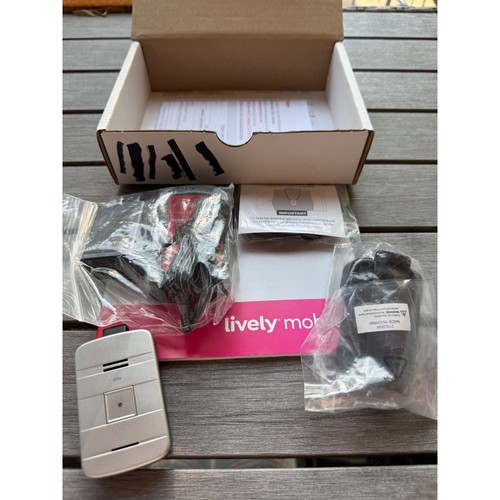
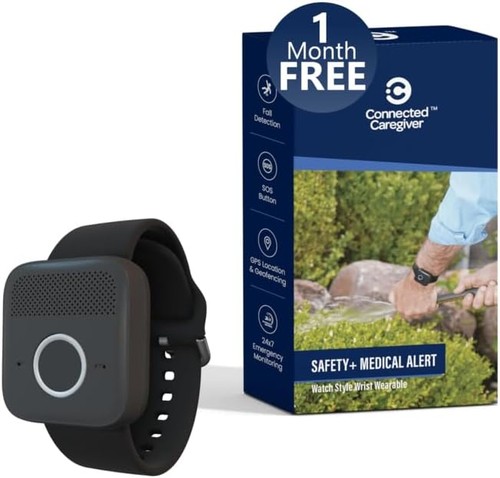
- Wearable pendants and wristbands: These use built-in motion sensors and are typically worn 24/7. They offer the broadest coverage, working both in and out of the home, but must be worn consistently and charged regularly (battery life ranges from 1–30 days depending on features).
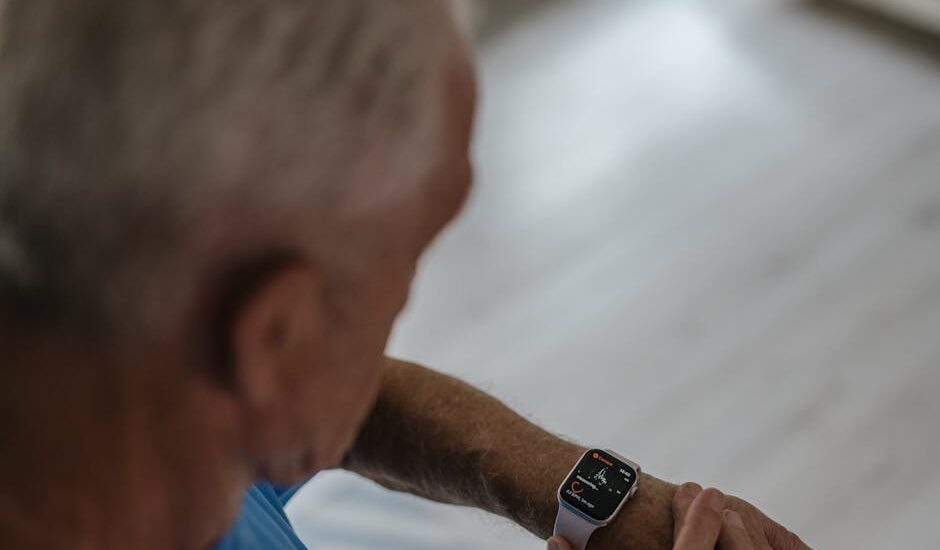
- Smartwatches with fall detection: These integrate fall detection into a multipurpose watch. They offer additional features (step tracking, heart rate, messaging), but battery life is usually shorter (1–2 days), and the device must be worn tightly enough to sense motion accurately.
- In-home wall-mounted sensors: These use radar, infrared, or computer vision to Buying option room for falls. No wearable needed, but coverage is limited to the rooms where sensors are installed. Most require a constant power source and Wi-Fi connection.
Choosing between them depends not just on fall risk, but on daily habits, comfort with wearable tech, and whether the user spends significant time outside the home.
How the Options Compare: Fall Detection Devices by User Profile
| Profile | Best Device Type | Coverage Area | Battery Life | False Alarm Rate | Connectivity | Who It’s For |
|---|---|---|---|---|---|---|
| Active, Tech-Comfortable | The smartwatch-based option | Anywhere (with cell signal) | 1–2 days | Low–Moderate | Cellular, Wi-Fi, Bluetooth | Users who want all-day wear and extra health features |
| Mostly at Home, Minimal Tech Use | The wall-mounted in-home sensor | Specific rooms (sensor coverage: 10–15 ft radius) | Permanent (plug-in) | Very Low | Wi-Fi | Those who dislike wearables or forget to wear devices |
| High Fall Risk, Needs 24/7 Monitoring | The pendant-style wearable | Anywhere (with cell/LTE coverage) | Up to 30 days (basic models); 1–7 days (advanced) | Moderate | Cellular, sometimes Wi-Fi | Users who need reliable automatic alerts everywhere |
| Budget-Conscious, Simple Setup | The basic pendant (home-only) | Within 400–1,200 ft of base station | 2–5 days | Moderate–High | Landline or Wi-Fi | Users who rarely leave home and want low monthly cost |
| Caregiver Monitoring | The sensor mat with app alert | Specific bed/chair area | 6–12 months (replaceable battery) | Very Low | Bluetooth/Wi-Fi to caregiver phone | Caregivers needing instant alerts for transfers/falls |
What the Numbers Actually Mean: Sensitivity, Specificity, and Real-World Use
When shopping for a fall detection device, you’ll see specs like “up to 95% sensitivity” and “false alarm rate under 0.5 per day.” Here’s what those numbers mean in practice:
- Sensitivity is the percentage of real falls the device correctly detects. A device with 90% sensitivity will miss 1 in 10 actual falls. Most reputable devices fall between 80–95% in independent studies.
- Specificity is the percentage of non-fall events that are correctly ignored. High specificity means fewer false alarms—important, because frequent false positives can lead users to ignore or disable the feature.
- Actual performance varies based on how you wear the device, your activity level, and even your body type. For example, wrist-worn devices may miss falls if you brace yourself with your hands, while pendants are more likely to catch forward falls but can trigger false alarms if dropped.
Unfortunately, no device is perfect. The best approach is to choose a device with adjustable sensitivity settings, test it in real-life situations, and—critically—pair it with a reliable response service, not just a family contact.
Battery Life and Charging: The Most Overlooked Failure Point
Even the most advanced fall detection is useless if the device isn’t charged. Here’s how the different categories stack up:
- Pendants: Basic home-only pendants last 5–30 days per charge; cellular-enabled models (with GPS) typically last 1–7 days. If you or your loved one is likely to forget nightly charging, opt for a device with a charging cradle and at least a 3-day battery.
- Smartwatches: Most need daily charging. Some offer “low power” fall detection that can extend battery life to 36–48 hours, but this usually disables other features.
- In-home sensors: Wall units plug in and require no charging; sensor mats use replaceable batteries (6–12 months typical). These are ideal for users who cannot reliably manage charging routines.
Connectivity: What Works When Wi-Fi or Cellular Fails?
Most fall detection devices require a reliable connection—either cellular (LTE/4G), Wi-Fi, or a landline. Here’s what you need to know:
- Cellular-enabled wearables: Work anywhere with a cell signal, but may drop out in dead zones (basements, rural areas). Monthly fees apply for cellular service.
- Wi-Fi only: Limited to the home network. If Wi-Fi goes down, alerts won’t send.
- Landline-connected: Rare in modern devices, but still available for basic home units. Most new homes are phasing out landlines.
- In-home sensors: Require Wi-Fi and constant power; power outages or router resets will interrupt service. Some offer battery backup for short outages.
Always check what backup options exist. Some wearables store event logs and transmit when back online, but this delays emergency response. For users with unreliable connectivity, a device with both Wi-Fi and cellular backup is ideal—though often more expensive.
Who Responds When a Fall Is Detected?
Automatic fall detection is only as good as the response system behind it. There are three main response models:
- Professional monitoring centers: Staffed 24/7, these services answer fall alerts, attempt voice contact, and dispatch emergency services if needed. Response times are typically under 60 seconds.
- Direct-to-family alerts: Some devices notify a pre-set list of contacts (via app, text, or call). This is less reliable if contacts are unavailable or ignore notifications.
- Self-rescue only: Devices without connectivity may only sound a local alarm or vibrate, relying on someone nearby to help.
For high-risk users, monitored response is recommended—even though it comes with a monthly fee. Manual-only and family-alert systems are best for lower-risk, tech-savvy users with robust local support networks.
See what’s availableRelated Guides
- Adjustable Foot Stools for Seniors: How to Choose the Right One
- Laser Therapy Devices That Are Actually Worth Buying
- Back Stretcher Devices That Really Work: Our Top Recommendations
- How Do Red Light Therapy Devices Work? The Science Explained
- Anti-Snoring Devices That Actually Work: Our Top Recommendations
- Best Stress Relief Devices 2026: Our Top Picks
- Browse all Buying Guides →
Common Mistakes: What Causes Missed Falls and False Alarms?
Even the best devices have blind spots. Here are common reasons fall detection fails in the real world:
- Not wearing the device consistently: The most common cause of missed falls. Devices left on a nightstand or charger do nothing if you fall in the bathroom or backyard.
- Improper fit: Wrist devices worn too loosely, or pendants swinging freely, can reduce sensor accuracy.
- Falls that don’t trigger enough force: Slow slides to the floor, or falls where you brace with your hands, may not register as a “fall” in the algorithm.
- Dropping the device: Many devices can’t distinguish between a person falling and the device itself being dropped from a height.
During setup, always test the device in controlled scenarios—falling onto a soft surface or simulating a fall from a standing position—to ensure it works as expected. Review alert logs regularly so you know what types of movements do (and don’t) trigger an alert.
How to Match a Device to Your Daily Life
The biggest mistake is picking a device that doesn’t fit your actual routine. Here’s how to narrow your options:
- Mostly at home, dislike wearables: In-home wall sensors or sensor mats are best. Just remember coverage is limited to the rooms with sensors.
- Active outside, comfortable with tech: Smartwatch or cellular-enabled pendant. Prioritize battery life and water resistance (look for IP67+ ratings).
- Frequent travel or rural areas: Devices with dual connectivity (cellular + Wi-Fi) minimize dead zones.
- Memory or cognitive issues: Choose devices with the least required user action—ideally, automatic detection plus professional monitoring, and a long battery life or plug-in sensor.
Looking for the current generation with manufacturer warranty intact? Amazon’s new stock is the safest bet.
Compare Options Online →FAQs: Real Answers to Common Fall Detection Device Questions
How accurate are fall detection devices for seniors?
Most reputable devices detect 80–95% of actual falls in controlled studies, but accuracy in real-world use can be lower due to inconsistent wear, device placement, or unique movement patterns. False alarms are common, but can often be reduced by adjusting sensitivity settings.
Can fall detection devices call 911 automatically?
Devices with professional monitoring can dispatch emergency services if you don’t respond to a check-in call. Devices that alert only family contacts cannot call 911 directly unless a contact does so after receiving the alert.
Do fall detection devices work if I’m outside my home?
Only devices with built-in cellular connectivity (LTE/4G) work reliably outside the home. Basic pendants and in-home sensors typically do not provide coverage beyond a set range (usually 400–1,200 ft from a base station).
What happens if I fall but the device doesn’t detect it?
No device is guaranteed to catch every fall. For highest safety, combine automatic fall detection with manual alert buttons and regular check-ins from family or caregivers. Always test the device and review its event history regularly.
How often do I need to charge a fall detection device?
Battery life varies widely: basic pendants can last up to 30 days, while smartwatches and advanced cellular models usually require charging every 1–7 days. In-home sensors are plug-in or use batteries that last 6–12 months. Choose a device that matches your ability to manage charging routines.
Are fall detection devices covered by insurance or Medicare?
Most fall detection devices are not covered by Medicare, though some Medicare Advantage plans and long-term care insurance policies may reimburse part of the cost. Check with your provider for current policy details.
Do I need Wi-Fi for a fall detection device to work?
Some devices require Wi-Fi (especially in-home sensors), while others use cellular networks. If you live in an area with unreliable Wi-Fi or cellular coverage, look for a device that supports both, or consider a landline-connected model for basic home use.
Can fall detection devices be used in the shower or bath?
Many wearable devices are water-resistant, but not all are fully waterproof. Look for products rated at least IP67 if you want to wear them during bathing or showering. Always check manufacturer specifications for immersion limits before using in wet environments.
What is the typical setup process for fall detection devices?
Setup usually involves charging the device, pairing it with an app or base station, and configuring emergency contacts. In-home sensors may require mounting and connecting to Wi-Fi. Most systems include a test mode so you can simulate a fall and confirm alerts are working properly.
Bottom Line: Don’t Buy on Hype—Buy for Your Real Life
The best fall detection device is the one you’ll actually use, every day, in the places you’re most at risk. Ignore marketing promises of “100% detection”—no device can deliver that. Focus on matching coverage, battery life, and response type to your real-world needs. And remember: the most advanced technology is useless if it sits on a charger, or if nobody responds when an alert goes out. Choose thoughtfully, test thoroughly, and revisit your choice as your needs change. View options
Related Guides