8 min read
Disclosure: As an Amazon Associate and eBay Partner Network publisher, we earn from qualifying purchases. This doesn’t affect what we recommend or how we describe it.
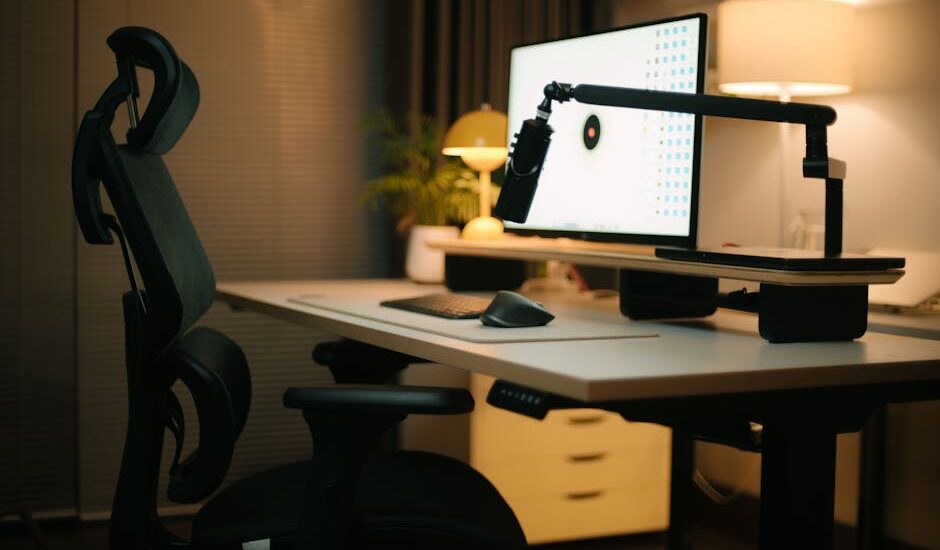
Does a mesh-back office chair actually support your spine better than a classic padded executive seat? Is a kneeling chair truly “more ergonomic,” or just a gimmick with a cult following? The answer depends on which aspect of ergonomics you value most: adjustable lumbar, pressure distribution, movement, or long-haul comfort. For most people, the chair that’s genuinely more ergonomic is not the one with the most features, but the one that fits your body, your work style, and your workspace—down to the centimeter.
Why “Ergonomic” Is Not a One-Size-Fits-All Label
The term “ergonomic chair” gets thrown around so often that it’s nearly lost its meaning. True ergonomics is about how well a chair matches your body’s dimensions, supports healthy posture, and adapts to your working patterns. A chair that’s “more ergonomic” for a 5’2″ graphic designer could be a poor fit for a 6’4″ software engineer—no matter how many adjustments or certifications it claims.
What matters most is measurable adjustability: seat height range, lumbar depth, armrest movement, and backrest tilt. According to the Occupational Safety and Health Administration, chairs should support a neutral spine, distribute weight through the thighs and buttocks, and allow feet to rest flat on the floor. These are not vague ideals; they’re quantifiable requirements.
How the Most Common Chair Types Stack Up
Below is a side-by-side comparison of the four most common “ergonomic” chair types: classic task chairs, mesh-back office chairs, executive padded chairs, and kneeling chairs. Each serves a different ergonomic profile, and each excels (or fails) in specific, measurable ways.
| Chair Type | Best For | Seat Height Range | Lumbar Adjustment | Dynamic Movement | Price |
|---|---|---|---|---|---|
| Classic Task Chair | All-day desk work, adjustability | 16″–21″ | Height + depth (2–4″ range) | Synchro-tilt, swivel | $$ |
| Mesh-Back Office Chair | Breathability, lumbar support | 15″–20″ | Height only (1.5–3″ range) | Limited tilt, good recline | $$–$$$ |
| Padded Executive Chair | Shorter tasks, plush comfort | 17″–22″ | Fixed or minimal adjust | Basic tilt, less dynamic | $$$ |
| Kneeling Chair | Posture training, short sessions | 18″–23″ | None | Active rocking, forward tilt | $–$$ |
The price column compares within this guide: $ is the budget end, $$ mid, $$$ premium. For exact, up-to-date prices, see the live listings lower in the article.
Related Guides
- How to Adjust Lumbar Support on Your Office Chair: A Simple Guide
- Our guide to How to Choose the Right Adjustable Shower Chair for Seniors
- Our guide to Foot Circulation Boosters: A Practical Buyer’s Guide
- Our guide to Orthopedic Seat Cushions for Chairs: What to Know Before You Buy
- How to Calibrate a Digital Blood Pressure Cuff: Step-by-Step Guide
- Our guide to Upright vs Recumbent Bike: Key Differences Explained
What Most Buying Guides Get Wrong About “Ergonomic” Chairs
Most advice focuses on ticking boxes—lumbar support, adjustable arms, breathable mesh. The reality: two chairs with identical features can feel radically different, because the shape and range of each adjustment matters more than the feature itself. For example, a lumbar support that adjusts only one inch may not reach your lower back if you’re tall, while a seat pan that’s too deep will force shorter users to slouch.
Another overlooked factor is dynamic movement. True ergonomic seating supports “micro-movements”—small shifts in posture that keep your muscles engaged and prevent fatigue. Chairs with a synchro-tilt mechanism (where the backrest and seat pan move in tandem at a 2:1 ratio) allow for this, but many padded executive chairs do not. The result: even a plush, expensive chair can leave you stiff after an hour.
The Spec Almost Nobody Talks About: Seat Depth and Pressure Points
Seat depth—the distance from the backrest to the front edge of the seat—directly affects how much of your thighs are supported. The ideal seat depth usually falls between 16 and 18 inches for most adults, with at least 2–3 inches of clearance behind your knees to avoid compressing blood vessels. Adjustable seat depth, still rare even in high-end chairs, is a game-changer for users at the extremes of height. Without it, you may find yourself sliding forward (losing lumbar support) or perching on the edge (increasing pressure on the tailbone).
Pressure mapping studies, such as those cited by the Human Factors and Ergonomics Society, consistently show that even distribution of weight across the seat and backrest reduces fatigue and lowers the risk of pressure sores. Mesh-back chairs often excel at this for the back, while padded executive chairs win on the seat—unless the foam compresses over time, a common failure point in budget models.
Real-World User Profiles: Which Chair Wins for Each?
No single chair is “most ergonomic” for everyone. The right choice depends on your body, your tasks, and your tolerance for adjustment. Here’s how the main types fit different needs:
- Classic Task Chairs: Best for users who spend 6+ hours at a desk and need broad adjustability. Look for seat height (16–21″), seat depth (16–18″), adjustable lumbar, and armrests that move in at least two directions.
- Mesh-Back Office Chairs: Ideal if you run hot or want a firmer, more supportive back. Prioritize chairs with lumbar support that moves at least 2″ up or down, and a tilt mechanism that lets you recline without losing support.
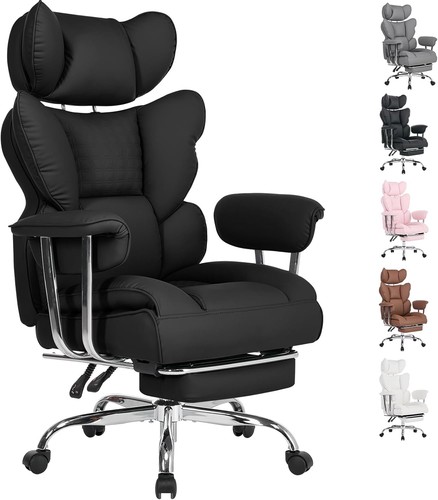
- Padded Executive Chairs: Fine for 1–3 hour sessions, but most lack true ergonomic adjustments. Best if plushness matters more than posture, or if aesthetics are a top concern. Watch for foam density—denser is better for support.
- Kneeling Chairs: Useful for short bursts of posture correction (20–40 minutes), but not a replacement for a full-time desk chair. They encourage an open hip angle but don’t support the back. Not suitable for users with knee or balance issues.
View options for each category and see which specs match your measurements best.
Quick decision tree
- If you need all-day support and frequent adjustments: Classic task chair is your best bet.
- If you want maximum breathability and lumbar firmness: Mesh-back office chair is the winner.
- If plush comfort and looks matter most (and you sit less than 3 hours at a time): Padded executive chair suits you.
- If you want to train posture or mix up your sitting routine: Kneeling chair can supplement your main seat.
- If you’re under 5’5” or over 6’2”: Prioritize any chair with adjustable seat depth and a wide seat height range (at least 5″).
Check current prices on adjustable chairs that fit your body size.
Common Mistakes: Where Ergonomic Chairs Fail in Practice
The top mistake: assuming more adjustments always mean better ergonomics. Adjustments that don’t fit your body are useless. For example, a chair with armrests that only go up and down won’t help if you need them to angle inward for keyboard work. Another common pitfall is ignoring seat height range. If the lowest setting is 18″ and your feet dangle, no amount of lumbar support will fix your posture.
Many people also overlook how their desk or monitor setup interacts with their chair. Even the best ergonomic chair can’t compensate for a desk that’s too high or a monitor that’s off-center. Ergonomics is a system, not a single purchase.
FAQs: What People Actually Ask About Chair Ergonomics
Which chair type offers the most lumbar support?
Classic task chairs typically provide the most lumbar adjustability, with height and depth movement of 2–4 inches. Mesh-back chairs often include firm lumbar bands, but usually only adjust up and down. Executive chairs often have fixed or minimal lumbar support, while kneeling chairs do not offer back support at all.
How long can you sit in a kneeling chair before discomfort?
Most users report 20–40 minutes of comfortable use in a kneeling chair before needing a break. Extended sessions can cause knee or shin discomfort, especially if you’re unused to this seating style. Kneeling chairs are best used as a supplement, not a replacement for a primary ergonomic chair.
Mesh vs. padded chair: which is better for hot climates?
Mesh-back office chairs are significantly better for airflow and temperature regulation. The open mesh design allows heat and moisture to dissipate, making them preferable in warm or humid environments. Padded chairs can trap heat and become uncomfortable over long periods.
What seat height range should I look for if I’m under 5’5″?
A seat height that drops as low as 15 or 16 inches is ideal for shorter users. This allows your feet to rest flat on the floor and knees to be at a 90-degree angle, reducing pressure on the thighs. Many standard office chairs start at 17 or 18 inches, which may be too high for some people.
Are expensive ergonomic chairs worth the investment?
Premium ergonomic chairs often provide greater adjustability, longer-lasting materials, and better warranty coverage. If you spend 6+ hours a day seated, the investment can pay off in comfort and reduced risk of back pain. For occasional use, a mid-range chair with a few key adjustments may be sufficient. Compare today’s deals to see if premium features fit your budget.
Task chair vs. executive chair: which is better for back pain?
Task chairs usually win for back pain prevention because they offer more precise lumbar adjustment and support dynamic movement. Executive chairs may feel plush initially, but the lack of adjustability can lead to slouching or unsupported posture over time. If back pain is a concern, prioritize adjustability over padding.
Bottom Line: There’s No Universal Winner—Only the Best Fit for You
The chair that’s “more ergonomic” is the one that fits your body, supports your work style, and adapts to your daily routine. Don’t buy on features alone—measure your workspace, check the seat height and depth, and try to sit before you commit. The most ergonomic chair isn’t always the most expensive, but it’s always the one you can tune to your unique needs. See what’s available and choose the chair that supports you, not just your to-do list.



Last updated: July 2026 · Editorial standards